Find ideas
Pick interests, time, and tools, or write a sentence. Get 4 ideas, each with a why-now.
4 ideas that fit you. Save one, plan it, and paste the prompt into your AI editor.
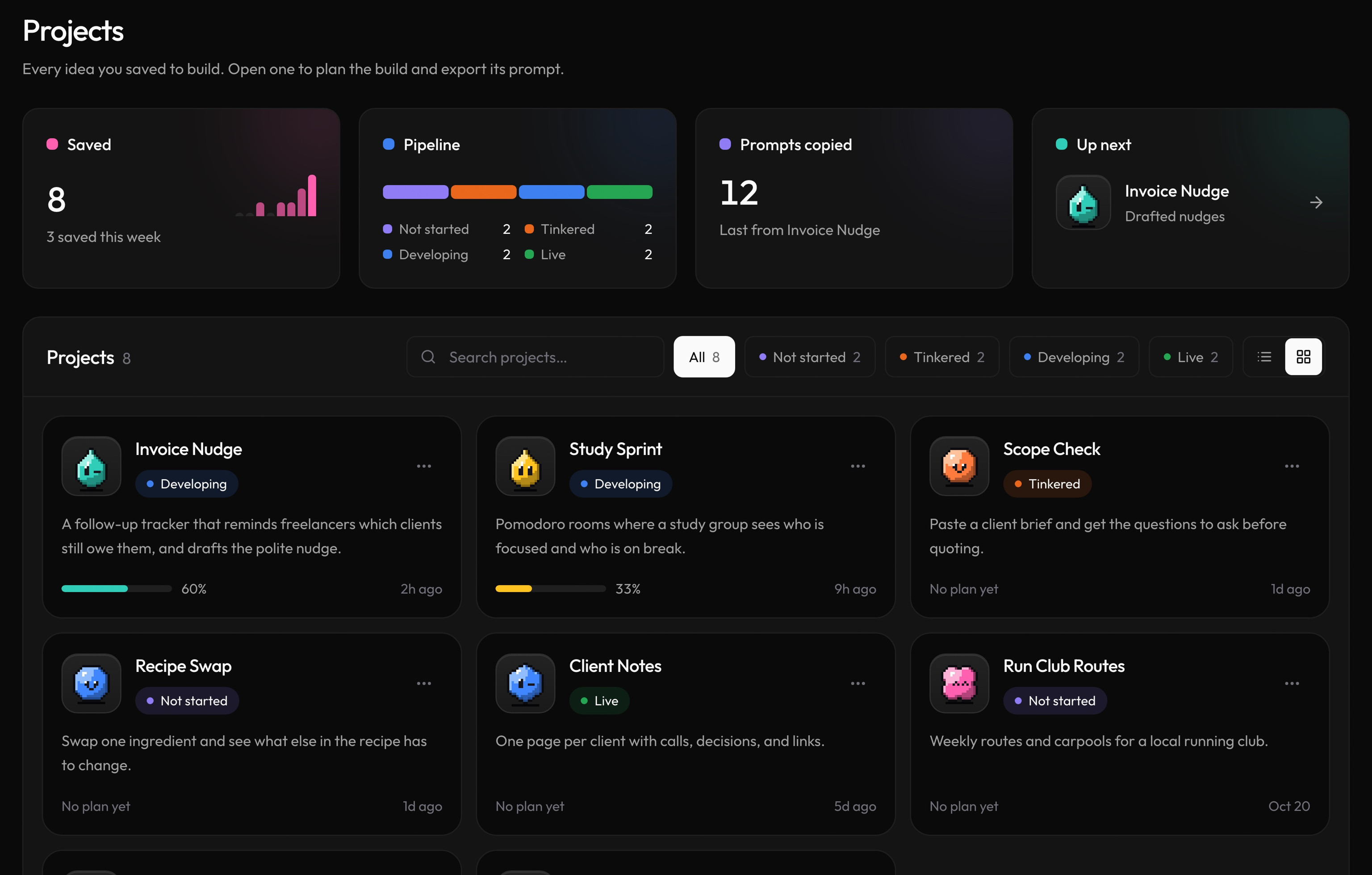
No blank page, no busywork.
Pick interests, time, and tools, or write a sentence. Get 4 ideas, each with a why-now.
Save the one you like. It becomes a project with scope and milestones.
Copy one prompt into Claude, Cursor, Codex, Bolt, or Replit.
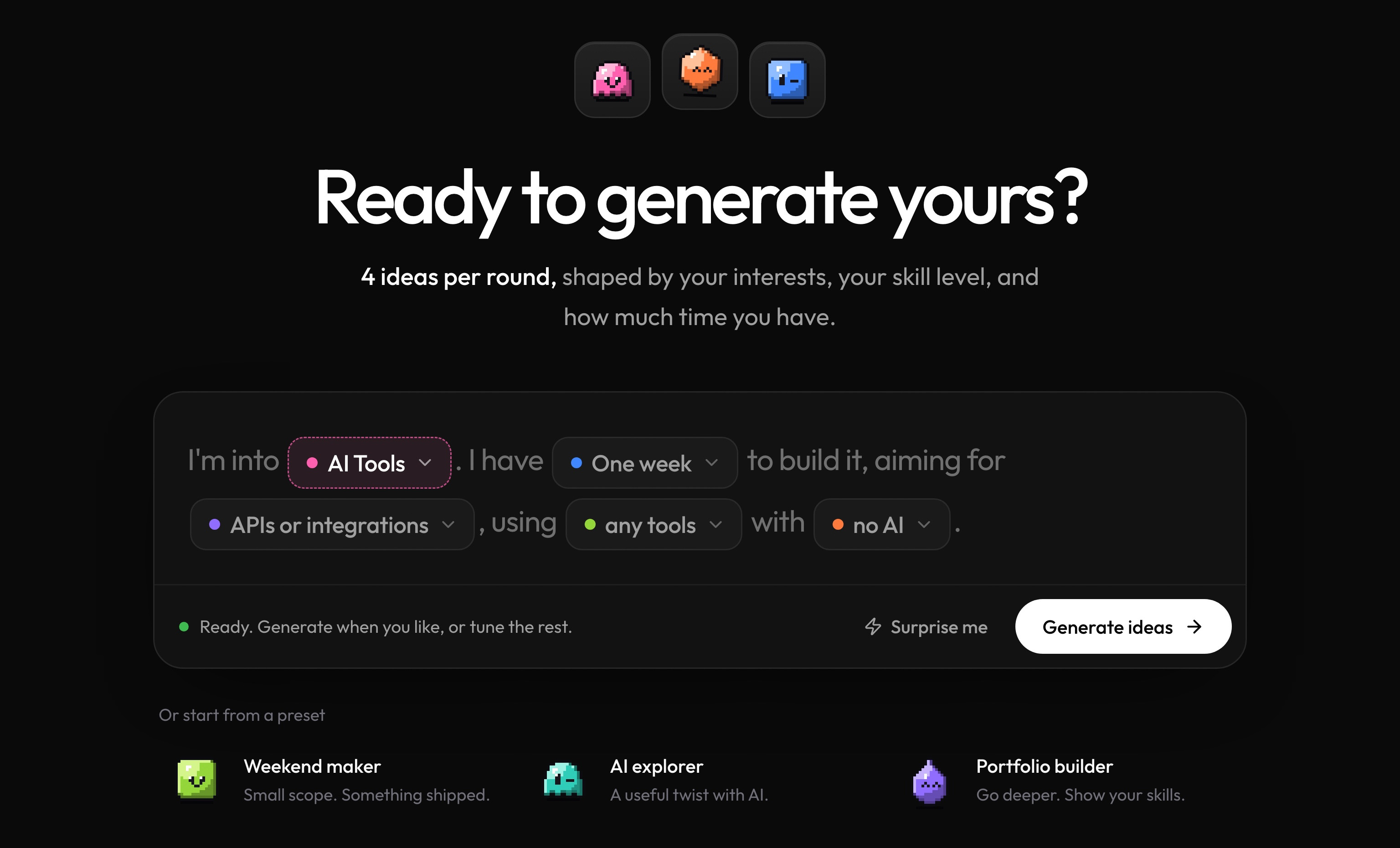
Interests, build time, ambition, and tools. That is the whole form.
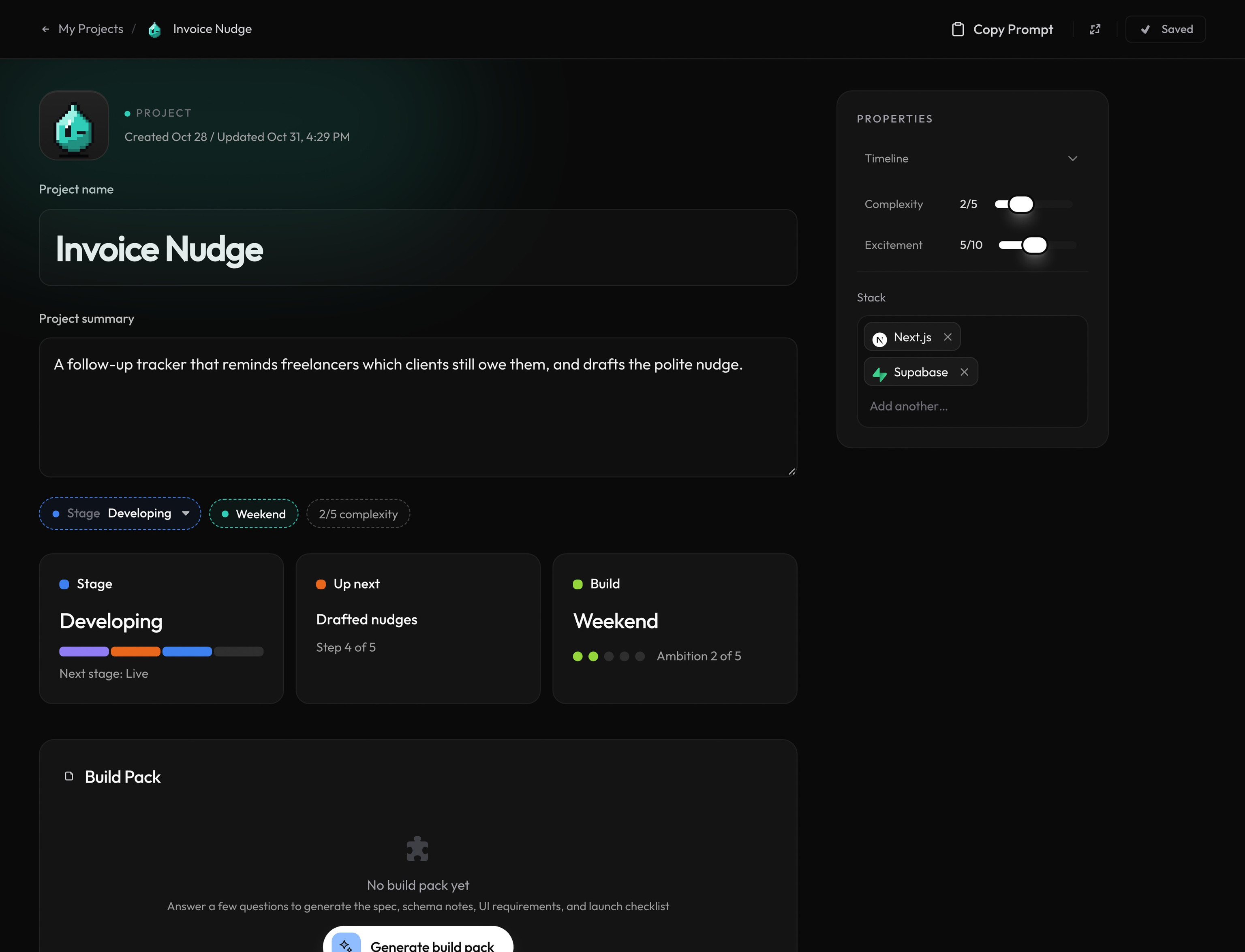
Each project gets a page with its stage, next step, build time, and stack.
Build Pack
The best prompt starts with the right questions. Build Pack asks about your project, then writes the spec and the step-by-step plan your AI coding tool needs to get it right. 3 free a month, 20 on Pro.
Who signs in, what makes the first version, where the data lives. Each question shows the exact features it means, with answers you can tap.
See the plansScope, architecture, database schema, screens, edge cases, acceptance criteria and a launch checklist, plus a step-by-step build plan for your stack.
See a finished build packIt all goes into one prompt. Pick where you are building, like Lovable, Bolt, Cursor or Claude Code, and it copies a version written for that tool.
Copy your build prompt and paste it into the app you like to use. The context travels with it: idea, scope, milestones, and where to start.
Bolt, Lovable, and Replit use referral links. We may receive a referral benefit if you sign up through them.